
Yuki Guide
Home Screen
Everything happening today and what’s coming up, in one glance.
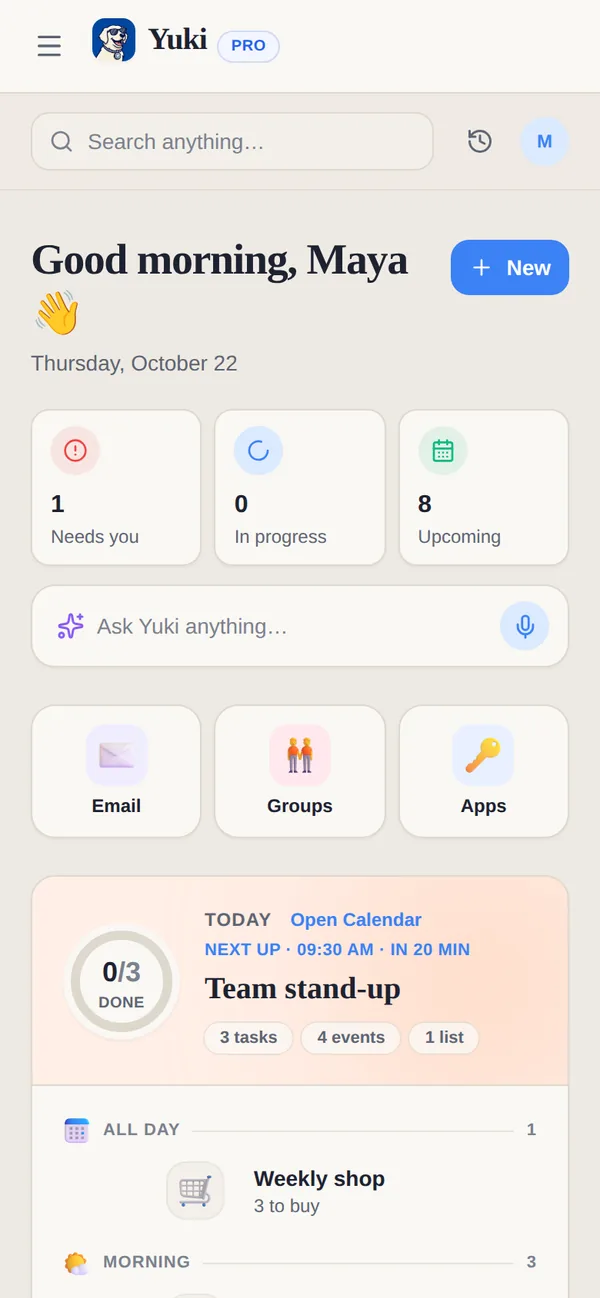
Home is where Yuki opens. It pulls today’s tasks, events and grocery lists together with what needs you and what’s coming up, so you know what your day looks like without opening five screens.
Finding your way around
- On your phone, the tabs along the bottom are Home, Chat, Calendar, Money and Trips. Groups are one tap from Home, and your profile is the avatar at the top.
- On the web, the sidebar has Home, Chat with Yuki, Activity, Calendar, Email, Money, Trips, Groups, Life Setups and People, with Connected apps and Settings at the bottom.
- Quick links on web Home — Email, Groups, People, Setups, Booking links, Polls, Timers (Pro) and Apps. Booking links, Polls and Timers moved here from the sidebar. Watches and Check-ins are marked Coming soon · Agent.
What you’ll see
- Needs you, In progress, Upcoming — three counts at the top of web Home. Needs you is anything waiting on you, such as an overdue task or something Yuki is asking you to approve. On your phone the same list is Needs your attention.
- Ask Yuki anything… — type or dictate a question or something to add; it opens Chat with your words ready to send. On your phone it floats above the tabs.
- Today — the day’s plan in time order (all day, morning, afternoon, evening) with a “next up” line and how much is done. Tick a task off right there, including a task shared with one of your groups; it stays on the day, crossed out.
- Unfinished grocery lists — lists that still have something to buy and aren’t planned for a day, such as group lists, in one row you can open. A list planned for today is in Today; a later one is in Upcoming.
- Needs you and Yuki is on it — what is waiting for your OK, and what Yuki is working on right now. See all opens Activity.
- Upcoming — the next events, bills and renewals, trips and birthdays, so nothing sneaks up on you.
- Deliveries — parcels on their way, from the shipping emails in your connected Gmail. See Deliveries & orders.
Adding things quickly
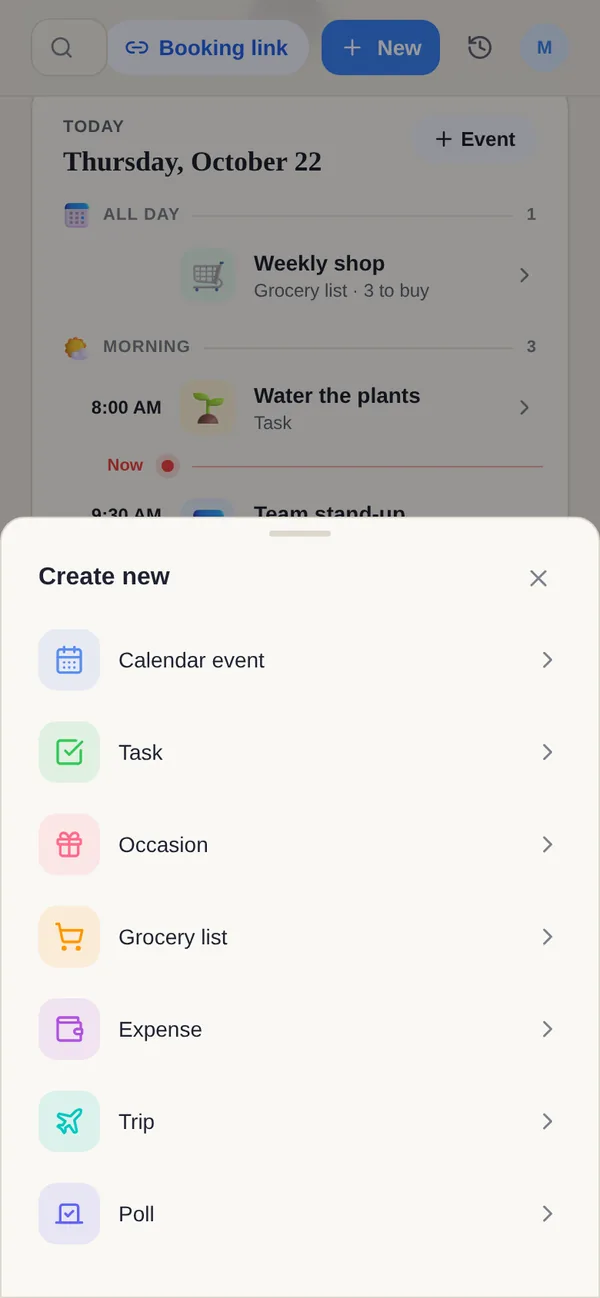
Tap + on your phone, or New on the web, to open Create new. On the web, New also creates a booking link, a public or group poll, or a Pro timer — the same screens as the Quick links. New watches remain an Agent coming-soon option.
Tip. Or just say it. Type “dinner with Sam Friday 7pm” or “electricity bill €60 on the 28th” into Ask Yuki, and Yuki turns it into the right kind of item.