
Yuki Guide
Groups
Shared plans, costs, lists and polls — for the people you actually share life with.
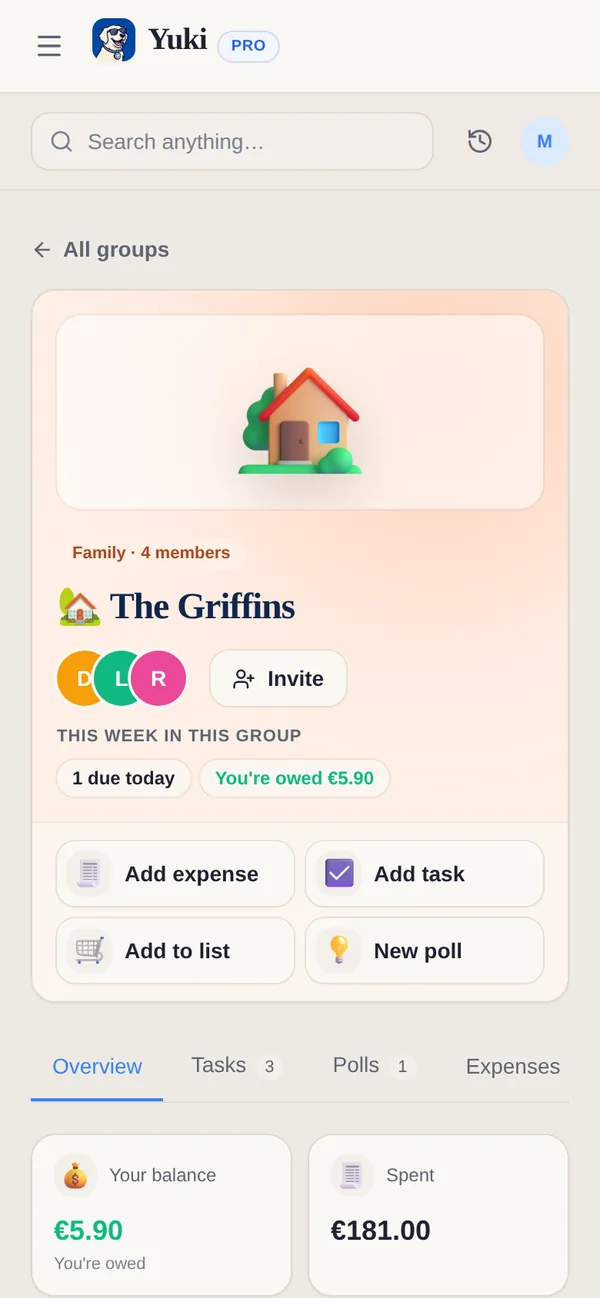
Most of your admin is not solo. A group in Yuki is a shared space for the people it actually involves — and each kind of group is shaped for what it is for, rather than one generic “shared folder”.
Nine kinds
Family · Couple · Co-parenting · Flatmates · Friends · Fitness & habit challenge · Trip · Family Retirement Plan · Custom. Choosing the kind preconfigures the tools and the starter tasks, so a co-parenting group does not open with a grocery list.
What is inside one
- Expenses — split equally, by exact amounts or percentages, or paid by one person, with a running balance and settle-up. Mark as paid records a payment in Yuki; no money moves.
- Tasks & chores — assigned and visible to everyone. Group tasks show on your Home and Calendar, and any member can tick one off there.
- Groceries — one list everyone adds to; whoever is shopping sees the full list live.
- Polls — for the decisions nobody wants to chase. See Polls.
- A shared calendar — what is happening, and who is free; share your own calendar with the group if you choose.
Create one
- 1Open Groups — from Home on your phone, or Groups in the web sidebar — and tap New group, then Create a group (or Start from a Life Setup, or Join a group with a code or link).
- 2Name it and pick the kind — family, flatmates, a trip, and so on.
- 3Choose which tools to switch on; Yuki suggests a sensible set and some starter tasks for the kind you picked.
- 4Invite people with a link or code.
Trips split themselves. Expenses on a trip split equally between trip members by default, so shared travel costs land in everyone’s balance without extra setup.
Private by default
Everyone keeps their own account and their own private items. Only what you share into the group is visible to the group.