
Yuki Guide
Occasions
Never miss a birthday, anniversary or the moment to say something.
Occasions help you remember the people who matter — birthdays, anniversaries and other dates worth marking — and make it easy to actually reach out when the day arrives.
Add an occasion
- 1Tap + (New on the web) and choose Occasion.
- 2Pick the type — Birthday, Anniversary or Other — and whose it is.
- 3Set the date. It repeats every year on your calendar.
Reminders
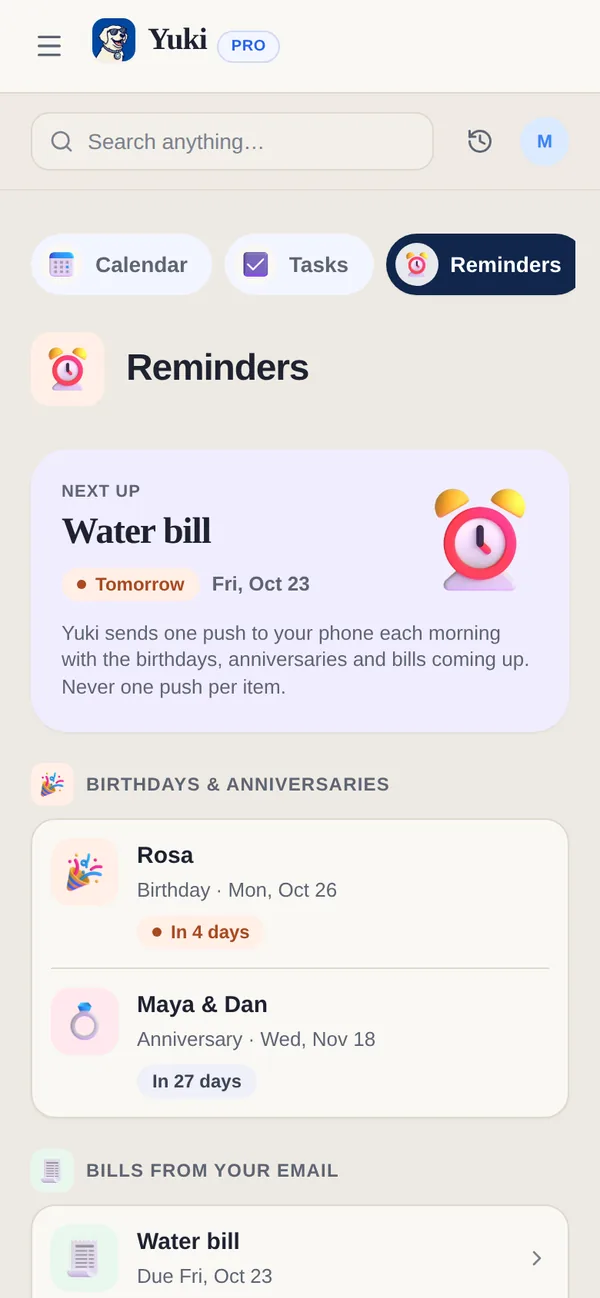
Yuki sends one push each morning with what’s coming up — birthdays, anniversaries and bills from your email — never one push per item. A birthday or anniversary is in it two weeks ahead and again on the day. On the web, the same list is Calendar → Reminders.
Send wishes
On the day, the occasion on your phone offers a ready message — edit it if you like — and sends it by WhatsApp, Message, Telegram or email.
Occasions show up on Home and in Calendar in the run‑up to the date, so you have time to prepare.